stamper
Read time:
6 min
Client:
UX Bitesize
Industry:
Social Media
Start:
October 6, 2025
End:
October, 10 2025
Duration:
5 Days
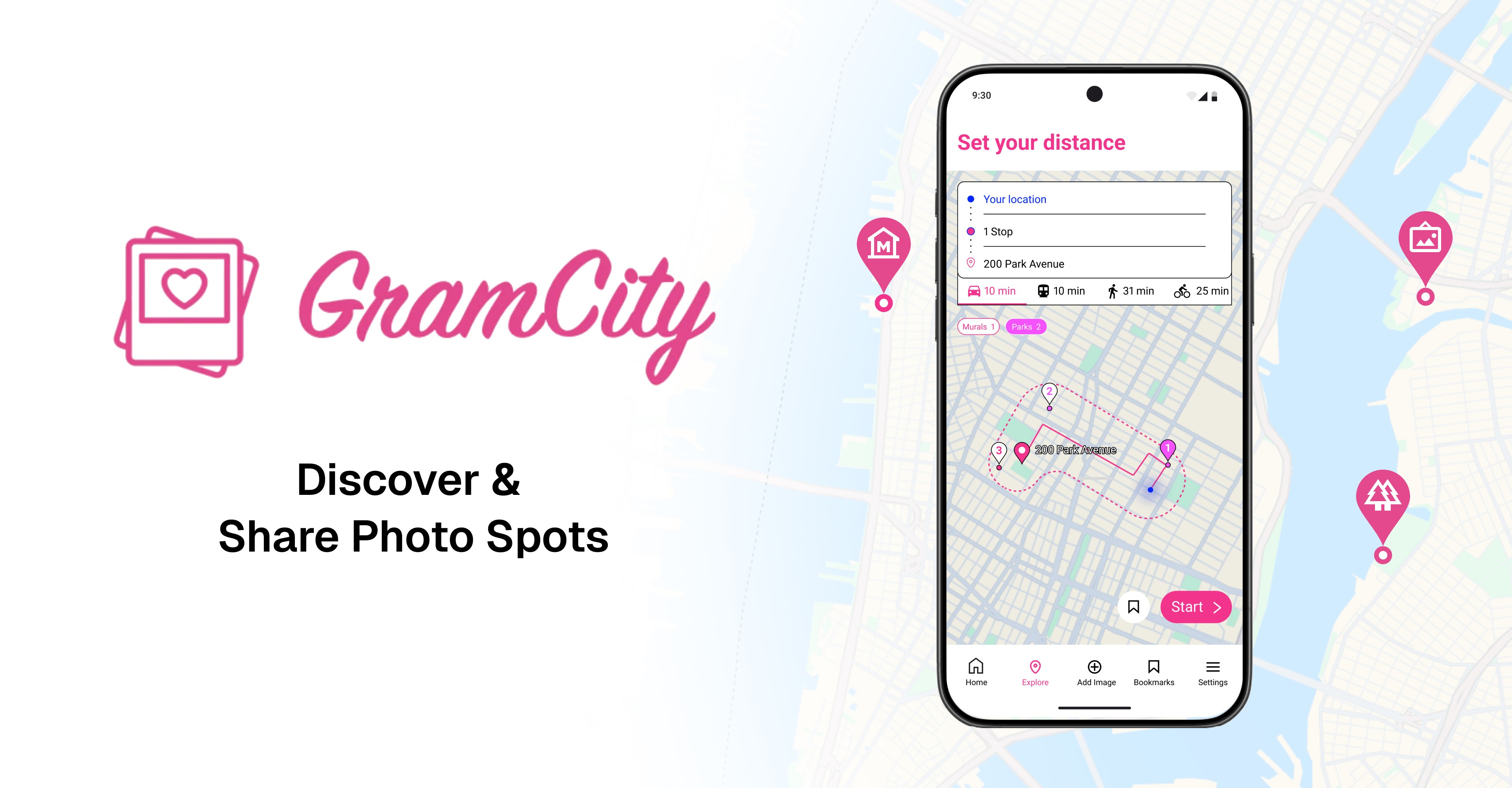
The Challenge
Travelers exploring new cities face a common obstacle: finding locations that are visually compelling and worth photographing. While users can easily discover where to eat, stay, or visit cultural landmarks through dedicated apps, they lack equivalent resources for photography-specific location discovery.
Day 1 - Map
Understanding the problem
I synthesized provided personas and qualitative research through affinity mapping to extract actionable insights that informed the design direction.
1. Personas
2. Affinity Mapping
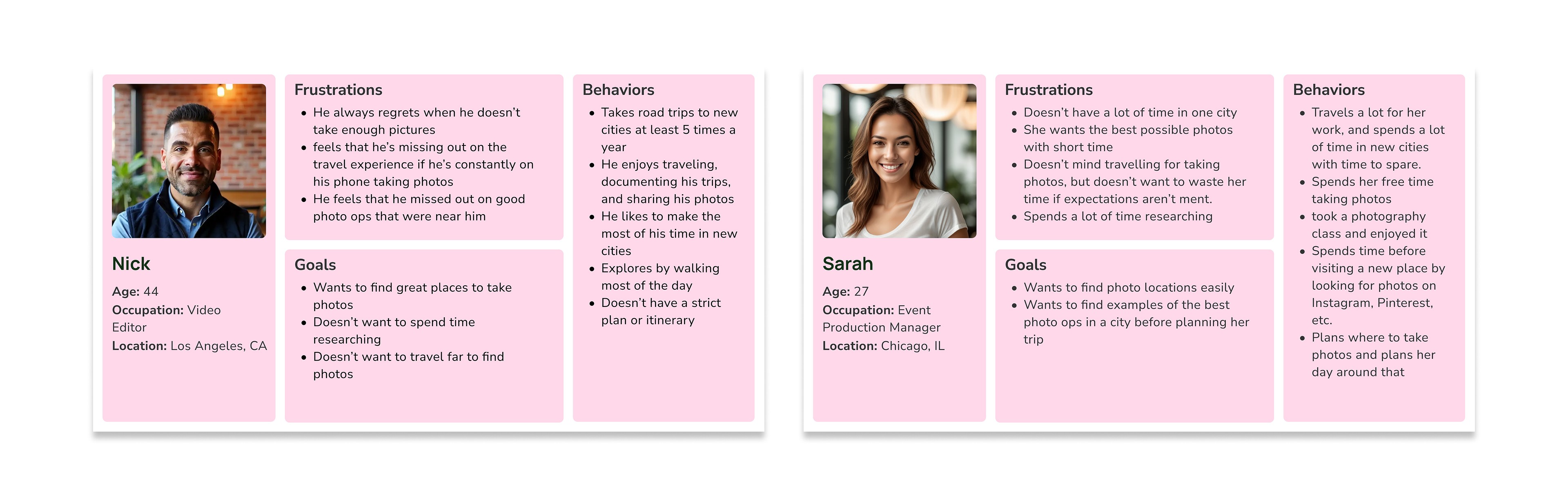
Meet Nick & Sarah
I identified two distinct user behaviors through the provided personas. Sarah represents the Intentional Planner—she researches and plans photo locations before her trip. Nick embodies the Spontaneous Explorer—he prefers discovering spots organically without pre-planning.
Design Considerations
How do we serve users with opposite planning behaviors?
What level of information depth should we provide?
How do we balance instant recommendations with detailed research?
How might we…?
How might we support varying levels of user effort in photo spot discovery—from quick, low-commitment browsing to detailed, comparison-based research?
Day 2 - Sketch
I focused on translating research insights into tangible design concepts through rapid ideation exercises. This included generating How Might We statements, conducting Lightning Demos to benchmark competitors, and exploring multiple interface solutions through Crazy 8s sketching.
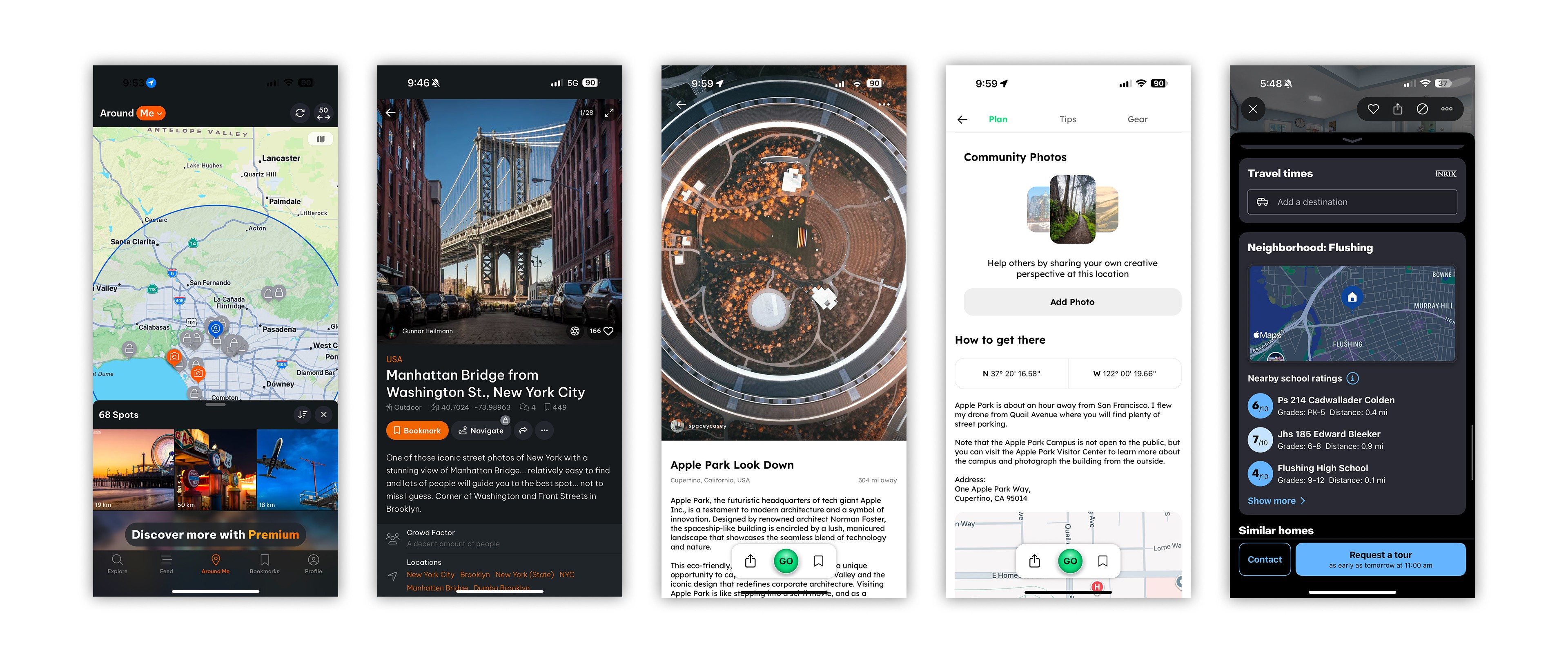
Lightning Demos
Crazy 8 Sketches
Following Google Ventures' design sprint methodology, I conducted rapid competitive reviews to identify successful patterns and avoid reinventing solutions. I analyzed two direct competitors (LocationScout and Explorest) and one indirect competitor (Zillow) to extract proven UI patterns and feature approaches that could be adapted for GramCity.
Key Takeaways
Map-based discovery interfaces reduce cognitive load for location browsing
Filtering by category helps users narrow results efficiently
Saved collections enable both pre-trip planning and spontaneous bookmarking
Day 3 - Decide
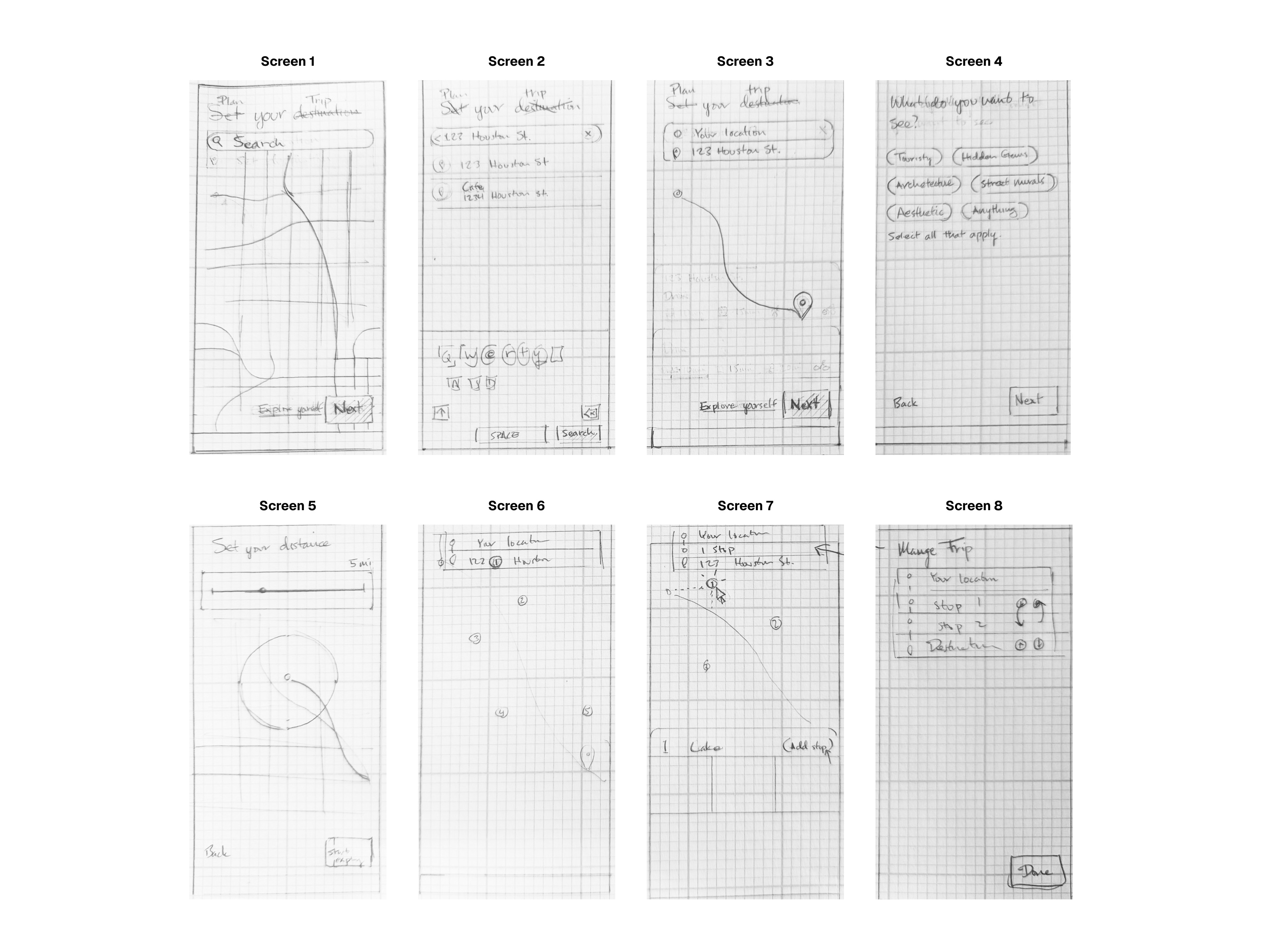
I reviewed all sketching concepts from Day 2 and selected the strongest solutions to move forward. These chosen screens were then developed into a wireframe that would serve as the foundation for high-fidelity prototyping.
"On Wednesday, you and your team will critique the solutions from Tuesday and decide which ones have the best chance of achieving your long-term goal." — Jake Knapp, Sprint: How to Solve Big Problems and Test New Ideas in Just Five Days
The Concept
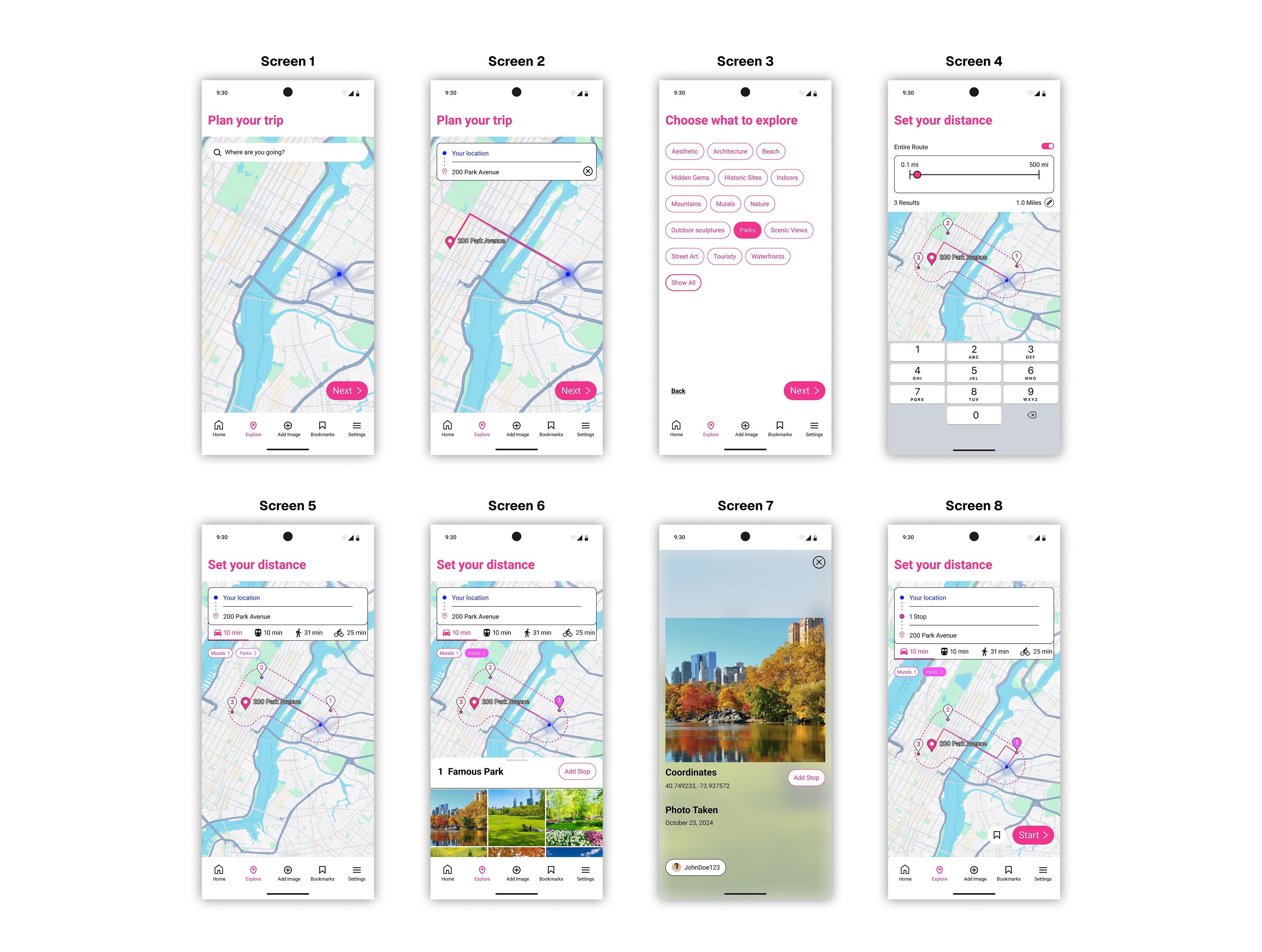
Users typically have a destination in mind when exploring a city—whether it's a restaurant, hotel, or attraction. The flow begins with users inputting their intended destination, then displays recommended photo spots along their route based on selected filters and preferences.
Day 4 - Prototype
I translated wireframes into a high-fidelity, interactive prototype in Figma. The goal was to create a realistic experience that users could navigate during testing—realistic enough to get honest feedback, but built efficiently within the one-day constraint.
Day 5 - Test
I conducted usability testing with 5 participants to validate design decisions and identify friction points. Users completed key tasks while thinking aloud, revealing both what worked well and what needed iteration before a potential launch.
Test Tasks
Set a destination where you're going
Choose what to explore by selecting filters by category
View a nearby location and add it to your trip
Choose your method of travel (walking, driving, transit)
Feedback 1
Feedback 2
Feedback 3
Feedback 4
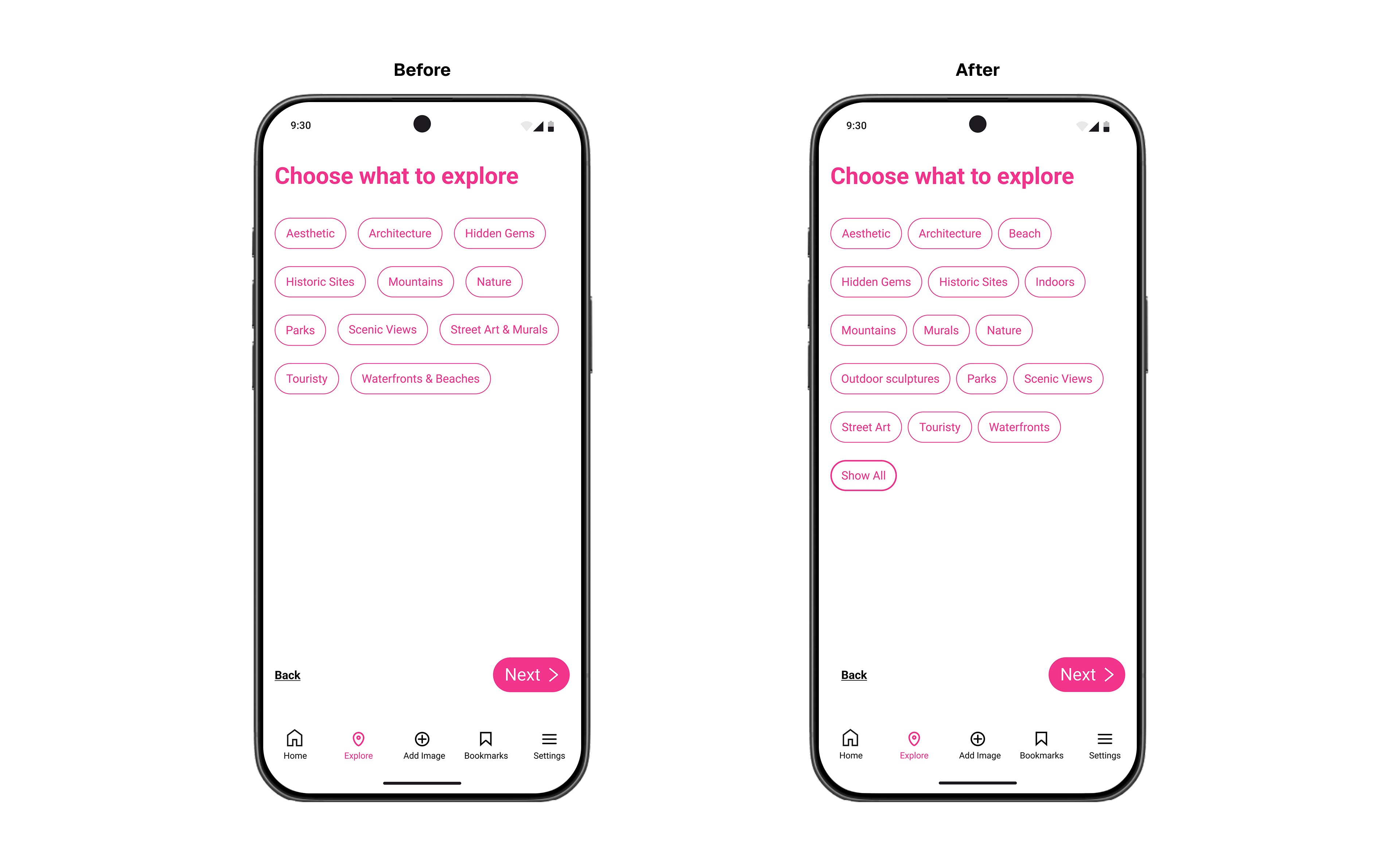
Users identified the need for more filter options and suggested separating certain categories for easier navigation. Based on this feedback, I expanded the filtering system to include additional criteria that better aligned with how photographers search for locations.
Final Design
After implementing feedback from usability testing, the final prototype evolved to include enhanced filtering options, dual transportation modes, precise photo metadata, and flexible discovery settings. The result is a cohesive experience that balances spontaneous exploration with detailed planning—successfully addressing the core challenge of serving users across the research spectrum.
Key Takeaway
Flexibility is Critical The solution must accommodate different user behaviors—from spontaneous explorers to meticulous planners. Providing multiple input methods and discovery modes ensures the app serves both extremes without forcing a single workflow.
Context Drives Confidence Users need more than location pins—they need actionable details like timing, distance, and transportation options to make informed decisions. Photography-specific metadata transforms generic discovery into executable guidance.
Test Early, Iterate Fast The 5-day sprint revealed critical usability gaps that weren't obvious in design. User feedback on filters, distance settings, and transportation modes directly shaped iterations that would have otherwise been overlooked.